Key Takeaways
- Changi Pay remains usable in mainland China only for existing users who linked a Liquid Account before 16 June 2026. Overseas Changi Pay payments end on 1 October 2026.
- Changi Pay supports merchant QR scanning and customer-presented QR payments through Alipay+, funded from a Liquid Account rather than a linked credit card.
- There is no separate foreign transaction or transaction fee, but the Changi Pay exchange rate is the live Alipay+ network rate, so compare it before confirming.
- New users should prioritise alternatives such as Alipay or WeChat Pay linked to a suitable travel card, OCBC Scan & Pay, or DBS PayLah! at UnionPay QR merchants.
If you’re already a Changi Pay user, here’s the headline: you can still use it in mainland China, but only if you linked a Liquid Account before 16 June 2026, and only until overseas payments switch off for good on 1 October 2026. Thereafter, the wallet is only good for shopping in Changi Airport, Jewel and iShopChangi.
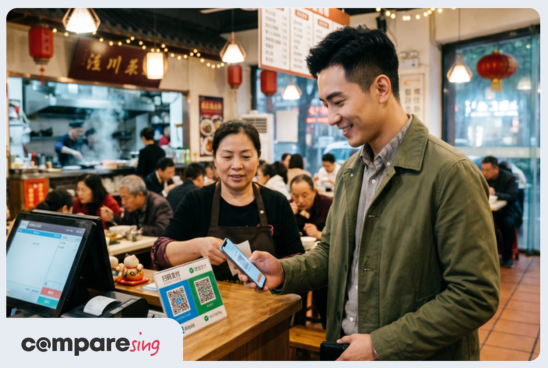
Under the hood, Changi Pay works through Alipay+, so you can either scan a merchant’s QR code or let them scan yours. The important twist is that your overseas spending comes out of a pre-funded Liquid Account, not a credit card sitting in the app.
This guide will explain what Changi Pay is, how existing Changi Pay users can use it in China, and how it stacks up against the likes of YouTrip, Alipay and WeChat Pay. Let’s dive in!
Understanding China’s Cashless Payment Landscape
China accepts cash, cards and mobile payments, but Alipay and WeChat Pay QR codes dominate by a substantial margin. Direct Visa and Mastercard acceptance is less consistent and available, while cash-paying travellers may encounter challenges making payments, such as merchants without sufficient change or merchants that only take cashless payments.
Even though foreign cards can be linked to Alipay and WeChat Pay, payments above RMB200 (~S$38) may incur a 3% platform fee, plus any card issuer FX charges. However, Weixin Pay (i.e. WeChat Pay) currently offers eligible first-time international-card users a temporary fee waiver, subject to its prevailing limits and promotional terms.
Existing Changi Pay users avoid this surcharge because payment comes from a Liquid Account; Changi Airport imposes no transaction fee. Foreign-card-funded Alipay and WeChat Pay transactions above RMB200 may be charged a 3% platform fee on top of any applicable foreign exchange charges.
What Is Changi Pay?
Changi Pay is the digital wallet built into the Changi App. It works at participating Changi Airport and Jewel outlets and on iShopChangi. Its overseas life, however, runs entirely through Alipay+ — and only until 1 October 2026.
A Changi Account is required for Changi Pay.
For local Changi Pay QR payments, users can select a linked Singapore-issued Visa or Mastercard, an eligible e-voucher or, until 30 September 2026, a linked Liquid Account. No card-funded wallet top-up is required.
For overseas payments:
- They require a previously linked Liquid Account topped up through PayNow
- No separate transaction fees
- Changi Pay exchange rates come from Alipay+
Where Can I Use Changi Pay?
Singapore
Locally, Changi Pay is accepted at a notably wide spread of shops and eateries across the airport’s public and transit zones, plus Jewel and iShopChangi. Based on the official directory as checked in July 2026, here are some of the Changi Pay merchants where you can shop and dine:
Terminal 1 public area: The Shilla Duty Free Cosmetics and Perfume, WH Smith, Andes by Astons, Heavenly Wang, Saboten and Penang Culture.
Terminal 1 transit: Aerotel, Bacha Coffee, Bee Cheng Hiang, Chatterbox Express, Crystal Jade La Mian Xiao Long Bao, Discover Singapore, iStudio, Lotte Duty Free Wine & Spirits, Plaza Premium Lounge, and Uniqlo.
Terminal 2 public area: Bee Cheng Hiang, Guardian, PappaRich, Paris Baguette, Peach Garden, The Cocoa Trees, Starbucks, Sukiya, and Swee Choon.
Terminal 2 transit: Bacha Coffee, Bengawan Solo, Boost Juice Bars, Burberry, Charles & Keith, Dunkin’ Donuts, Hard Rock Cafe, Ippudo Express, Irvins, Longchamp, Lotte Duty Free Wine & Spirits, Oakley, Pret A Manger, Ralph Lauren, Samsung Experience Store, Subway, The Shilla Duty Free Cosmetics and Perfume, TWG Tea and Ya Kun.
Terminal 3 public area: 4 Fingers Crispy Chicken, Bengawan Solo, Curry Times, Famous Amos, GODIVA, Guardian, Krispy Kreme, KOI Thé, Old Chang Kee, Paradise Dynasty, Starbucks, Swensen’s, The Body Shop, The Shilla Duty Free Cosmetics and Perfume and Ya Kun Family Cafe.
Terminal 3 transit: Ambassador Transit Hotel and Lounge, Bacha Coffee, Burberry, Burger King, Charles & Keith, Furla, Harry’s, Ippudo Express, Irvins, Läderach, Lego, Longchamp, Lotte Duty Free Wine & Spirits, Lululemon, Ray-Ban, Rolex, Sony, The Shilla Duty Free Cosmetics and Perfume, TWG and WH Smith.
Terminal 4 public: Andes by Astons, Bee Cheng Hiang, Burger King, Paris Baguette, Starbucks, The Shilla Duty Free Cosmetics and Perfume and The Digital Gadgets.
Terminal 4 transit: Bacha Coffee, Bee Cheng Hiang, Bengawan Solo, Burger King, Charles & Keith, Crystal Jade GO, iStudio, Lacoste, Lego, Lotte Duty Free Wine & Spirits, Oakley, Old Chang Kee, The Shilla Duty Free Cosmetics and Perfume, Texas Chicken, TWG Tea and WH Smith.
Jewel: Adidas, Arteastiq, Beauty in the Pot, Canopy Park, Changi Experience Studio, Charles & Keith, Chi Cha San Chen, DJI, Imperial Treasure Super Peking Duck, Jumbo Seafood, Kam’s Roast, Läderach, Muji, Paris Baguette, Pazzion, Shake Shack, Song Fa Bak Kut Teh, Starbucks, Sushiro, Tsui Wah, Uniqlo, Ya Kun Kaya Toast and Yun Nans.
A quick heads-up: this list shifts often, so always double-check Changi Airport’s official directory before you visit a merchant with the intention of using Changi Pay.
Overseas Usage
Until 1 October 2026, existing linked users can pay Alipay+ merchants in mainland China and supported markets including Australia, Hong Kong, Japan, Malaysia, South Korea, Switzerland, Thailand, the UK and the US.
A few of them have their own local QR flavours layered on top: Japan also supports PayPay QR, Malaysia has DuitNow QR, and in South Korea, Changi Pay also supports participating ZeroPay QR merchants.
One thing that trips people up: cards and vouchers in the app are strictly for local Singapore payments at Changi Pay merchants! And while eligible local spending may earn card rewards, don’t bank on it; bonus points, miles or cashback all depend on your issuer’s terms and how the transaction is coded.
Related read: Merchant Category Codes (MCCs): Why They Matter for Rewards
How Does Changi Pay Work?
It’s as simple as 1, 2, 3:
- Scan the merchant’s QR code, or tap “Show my QR code” and let them scan you.
- For local payments, the money comes from a linked card or voucher.
- For overseas payments, it draws only from your topped-up Liquid Account. You’ll need an internet connection to complete the transaction.
How to Use Changi Pay in China
If you are an existing linked user:
- Open Changi Pay and confirm that the Liquid Account is visible.
- Top up through PayNow.
- Tell the Changi Pay merchant you are paying through Alipay or Alipay+.
- Scan the merchant’s QR or show your QR code.
- Review the RMB amount and rate, then confirm.
Quick myth-buster while we’re here: there’s a common assumption that you can somehow “link Changi Pay to your personal Alipay account.” You don’t. Changi Pay simply rides on the Alipay+ merchant network, no personal Alipay account involved!
This, as we ought to mention again, all winds down after 1 October 2026.
Pros and Cons of Changi Pay
Pros of Changi Pay
- No separate transaction fee: Existing Changi Pay in China dodges that 3% foreign-card platform surcharge that kicks in above RMB200 (~S$38).
- Simple QR payments: Scan theirs, or show yours. That’s the whole interaction.
- Local rewards and vouchers: Eligible local payments may still earn card and Changi Rewards benefits.
Cons of Changi Pay
- It’s on the way out. Overseas use stops on 1 October 2026, and new users can’t link a Liquid Account at all. Whatever you build your travel spending around, it can’t be this.
- Pre-funding required: Linked cards cannot fund overseas payments.
- Rate uncertainty: The Alipay+ rate only appears at the point of payment, and some users have reported worse rates than Wise or YouTrip. That said, these Changi Pay vs YouTrip or Wise comparisons are anecdotal and very much depend on timing.
- Reliability: You could be left stranded. A merchant who’s unfamiliar with it, spotty internet, or a dead phone battery can all throw a spanner in the works. Always travel with a backup.
If you’re shopping for a longer-term option, both Mari and Trust offer no-FX-fee cards worth a look, so consider reading our Mari Credit Card Review and Trust Credit Card Review.
Alternatives to Changi Pay
Multi-Currency Cards
Revolut, Wise and YouTrip all offer traveller-friendly conversion and card spending, though fees and limits vary between them. Smaller merchants in China might not accept a foreign card directly, so the usual move is to link one of these cards to Alipay or WeChat Pay and pay by QR anyway.
OCBC Digital App
OCBC customers can scan Alipay+, UnionPay and Weixin Pay (i.e. WeChat Pay) merchant QRs directly in the OCBC app, and the bank has stated that it applies real-time exchange rates with no additional transaction fees. It’s one of the cleaner bank-app options—worth exploring if you’re an OCBC user who frequently makes trips to mainland China!
DBS PayLah!
DBS PayLah! handles UnionPay QR payments overseas, including China, but applies a 2% mark-up above the foreign exchange rate for such transactions, although no separate transaction fee is charged. And if you need to move money to someone in China rather than pay at a shop, DBS Remit can send funds to eligible Weixin Pay wallets.
Instarem Amaze
Amaze routes your overseas spending to a linked Mastercard and may help preserve eligible rewards along the way if you opt for the right card. It’s not entirely fee-free, though—linked-card FX transactions can carry a spread of up to 2.1%.
How to Link My Card to Changi Pay?
For local use, open Changi Pay, select Wallet, then Cards, tap +, enter a Singapore-issued Visa or Mastercard and complete authentication. A temporary S$1 authorisation charge is refunded automatically. Linked cards cannot be used overseas.
Can I Make Withdrawals From Changi Pay?
Yes. In the LiquidPay app, select Transfer, choose PayNow, enter a PayNow-registered mobile number and confirm. Balances remain accessible after overseas Changi Pay ends.
Bottom Line: Is Changi Pay Worth Using in China?
If you’re an existing linked user travelling before 1 October 2026, Changi Pay is a perfectly good backup to have in your pocket: no separate transaction fee, and no pesky 3% foreign-card surcharge on payments above RMB200. Keep it topped up, keep an eye on the rate, and it’ll do the job!
If you’re a new user, though, Changi Pay simply isn’t practical anymore: with the cross-border feature scheduled to shut down on 1 October 2026, there’s no point building your trip around a service that’s already winding down. Alipay or WeChat Pay linked to a suitable card, OCBC Scan & Pay, or DBS PayLah! at UnionPay merchants will all serve you far better over the long haul.
Whatever you choose, a bit of planning goes a long way in China: carry some RMB for the odd merchant who can’t scan, and keep a backup card handy.
To lock in your spending strategy, have a look at our Best Multi-Currency Cards and Travel Cards guide — and since almost none of this works without a connection, our roundup of the Best eSIMs for China will keep your payment apps online the moment you land.